Meet Daylo
Own your day
One calm home for tasks, plans and journaling. Jot a task in plain language, get a gentle reminder, and end the day with a one-minute note.
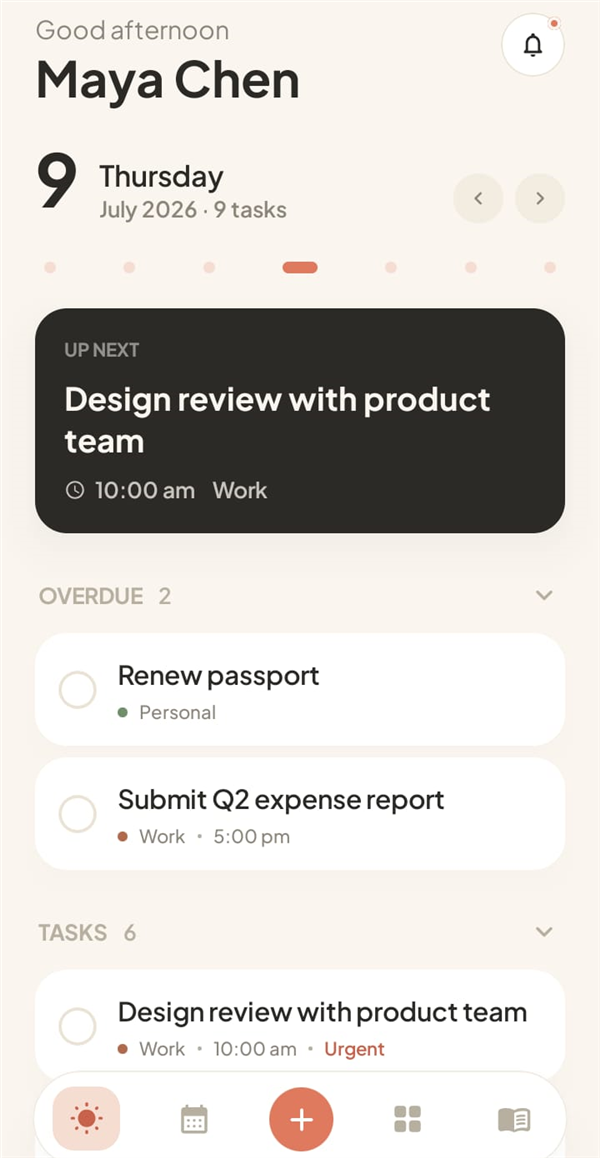
What's inside
Everything you need, nothing you don't
Daylo keeps planning light so the doing gets your energy.
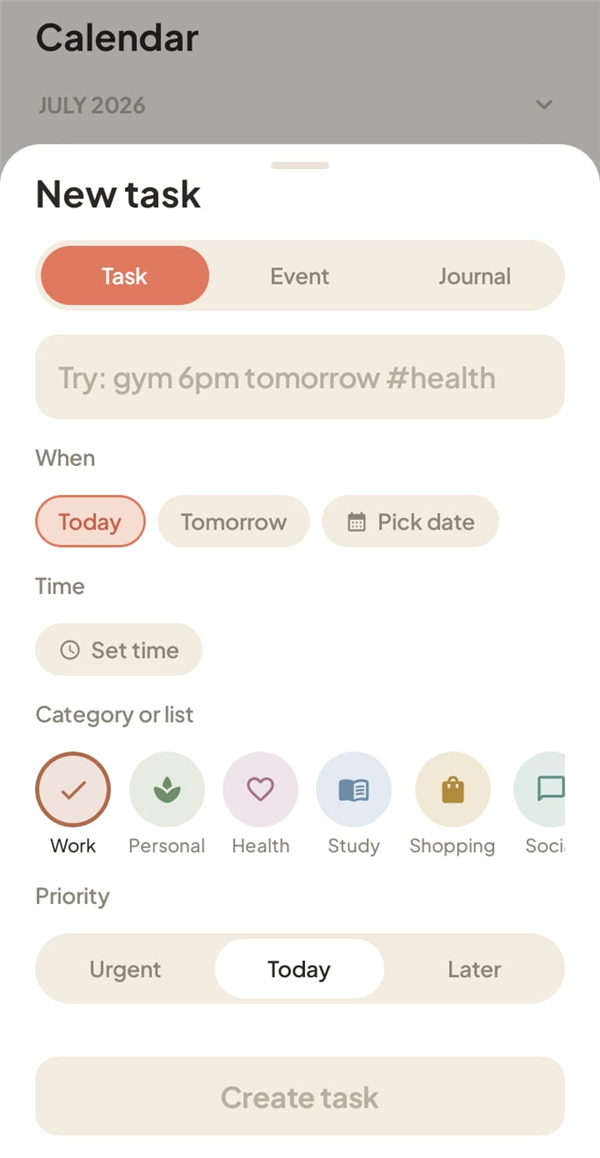
Quick add
A task in seconds
Type it the way you'd say it. Daylo picks up the date, time and category for you.
- Natural language: "gym 6pm tomorrow #health" just works
- Reminders and repeats: daily habits, weekdays, monthly
- Priorities: urgent, today, or later
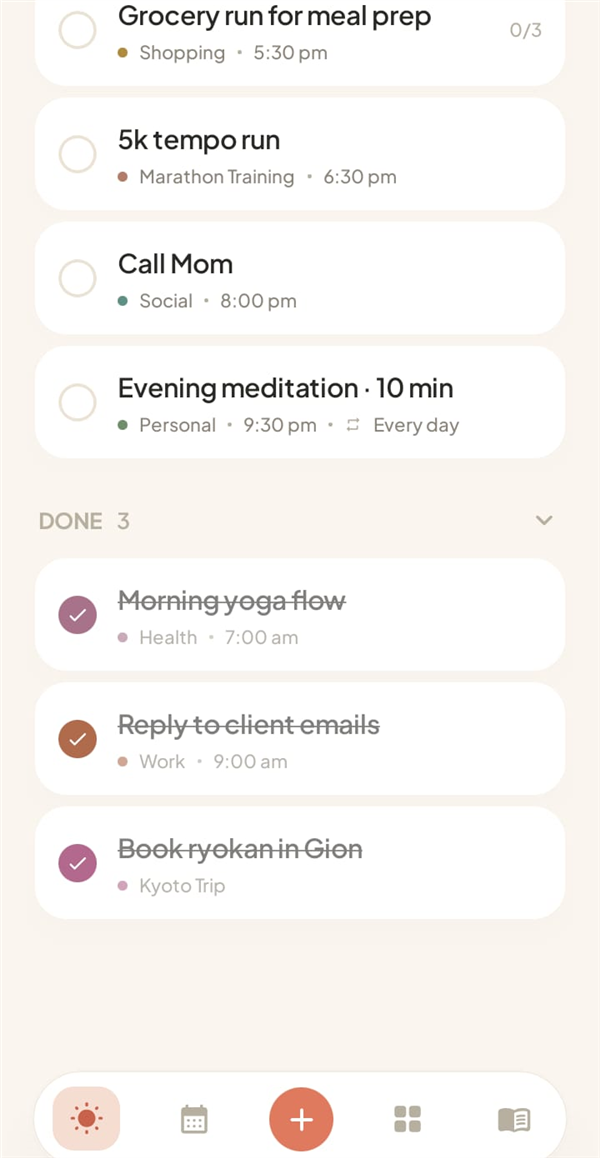
Your day
Done feels good
Overdue tasks get a gentle nudge, today stays in order, and every check-off lands in a satisfying Done pile.
- Up Next card: always know the one thing that's next
- Subtasks: break big things into small wins
- Home widget: your day at a glance, no app open needed
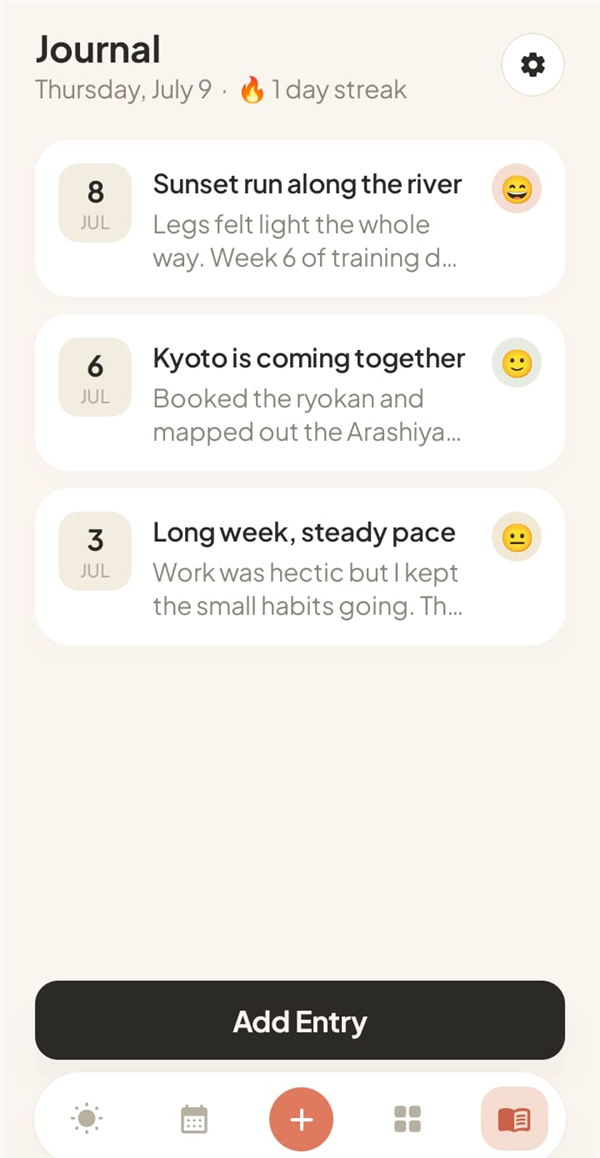
Journal
Keep the good days
A one-minute note and a mood. That is enough to remember how the week actually felt.
- Five moods: from awful to great, tap and done
- Streaks: a little fire to keep the habit warm
- Private: entries never leave your device
Zoom out
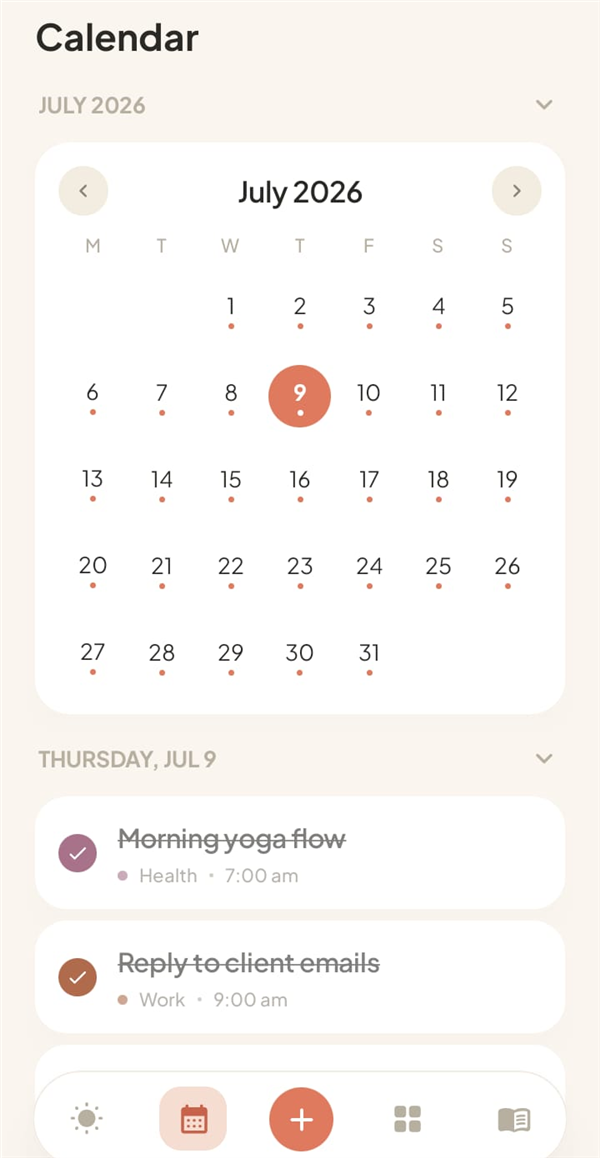
See the month breathe
A calm month view with a dot for every planned day, and your agenda right underneath.
- Lists with personality: six calm categories plus your own, with colors and emoji
- Calendar sync: optionally add timed tasks to Google Calendar
- Backups: export and restore your data anytime
After hours
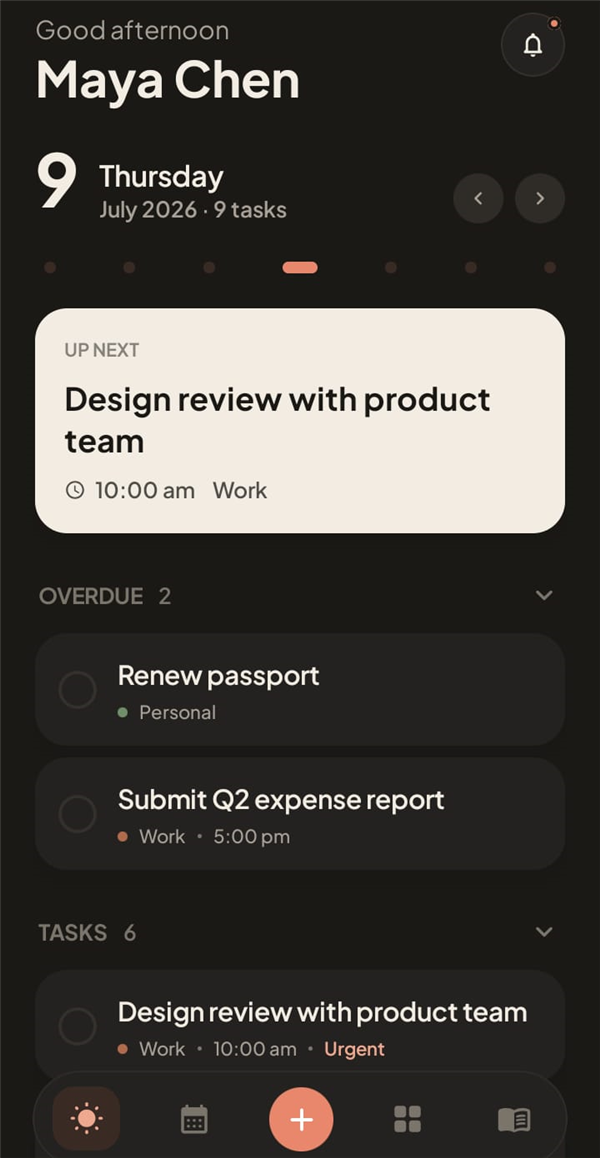
Cozy after dark
A warm dark theme that follows your system, or switches on a schedule you set. Easy on the eyes for the evening wind-down.
And also
The little things, done right
Reminders that arrive
On-time alarms that survive reboots, timezone changes and battery savers.
Home widget
Check tasks off right from your home screen.
Recurring habits
Daily, weekdays, weekly or monthly, with per-day completion.
Google Calendar sync
Optionally mirror timed tasks into a dedicated calendar.
Backup and restore
Your data exports to a simple file you own.
Local-first data
Your tasks and journal entries stay on your device by default. Your account is used for secure sign-in and supported sync features.
Questions
Good to know
Is Daylo free?
Yes. Daylo is free to use with ads. You can remove ads forever with a one-time purchase through Google Play.
Where is my data stored?
Your tasks, lists and journal entries are stored on your device by default. Your account is used for secure sign-in and supported sync features. See our Privacy Policy.
Do I need an account?
Yes. Daylo requires an account so you can sign in securely with email or Google.
Is Daylo available on Google Play?
How do I get support?
Email contact@aronor.com and we will help.
Start owning your day
Download Daylo from Google Play and bring your tasks, calendar and journal into one calm daily rhythm.
Get it on Google Play